
Services
Virtual Staging for Real Estate Services
Virtual staging furnishes photos of empty rooms so buyers can judge their size and use. Alongside it are listing photo edits for showing a property as it is, and concept visualizations for planning a change. Each service says what Stellar MLS allows.
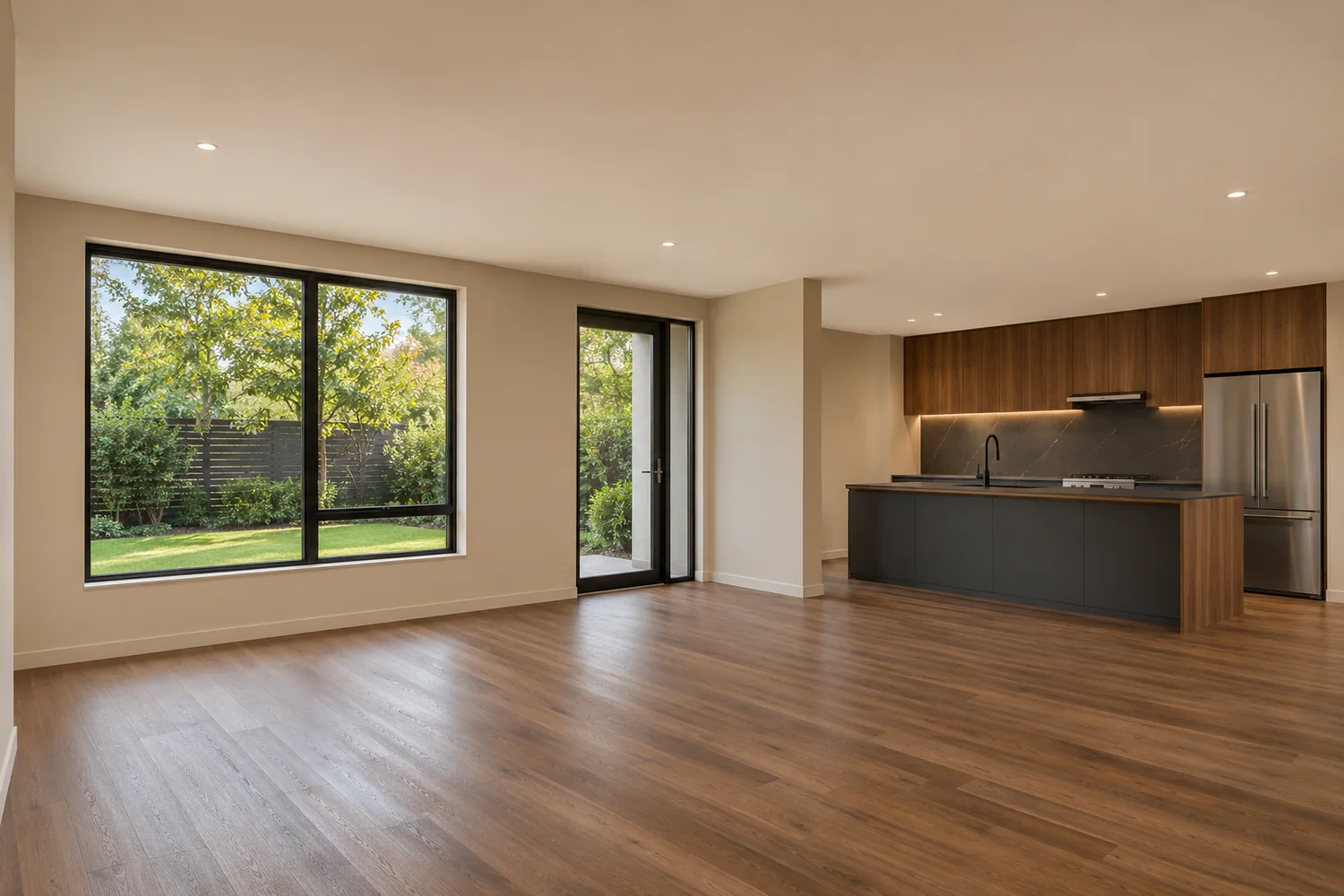
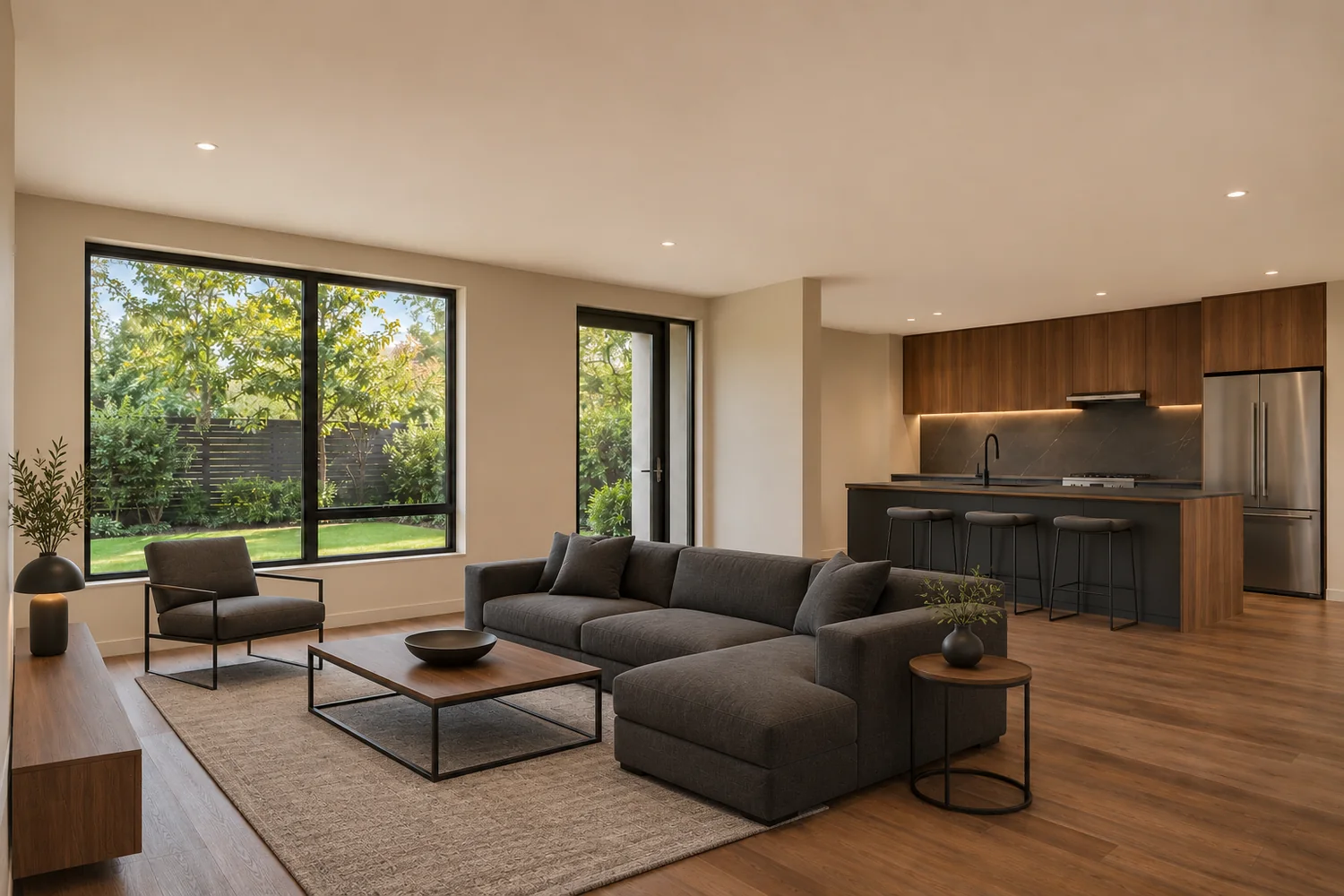 Before After
Listing photo edit
Virtual Staging for Empty Rooms
An empty room photographs as a box. Adding furniture and decor gives buyers a sense of scale and shows how the space could be used, while the walls, windows, floors and fixtures stay exactly as they are.
Stellar MLS listing use Permitted, with required disclosure
Article 04.04 permits adding furniture, mirrors, artwork and plants to a room photo. It requires "Virtually staged" in the photo description, the virtually staged field checked, and public remarks that begin "One or more photo(s) was virtually staged." It does not allow virtual staging on pre-construction or under-construction properties.
Source: Stellar MLS Article 04.04, read November 5, 2026. Other MLSs differ. This is not legal advice, and it is not a promise that an image will be accepted.
What virtual staging includes
- Furniture, rugs, lamps, wall art, plants and decor
- A room type and optional design style you choose
- Furniture sized to the visible room
- Edited images in the file format and by the delivery method agreed in your written quotation
What it does not change
- Changes to walls, floors, ceilings, windows or doors
- Adding or altering permanent fixtures
- Hiding damage or defects
- Altered views or surroundings
- Presenting a staged room as actually furnished
Fit
Who virtual staging suits
- Listing agents with vacant homes
- Sellers who have already moved out
- Teams marketing several empty units
Photos that work best
- Empty rooms shot level and from a corner or doorway
- Enough visible floor to place furniture convincingly
- Natural exposure, with window detail intact if possible
Workflow
How a virtual staging order runs
You email high-resolution JPG or PNG photos with the room type and any style preference, and receive a written quotation. Work starts once you approve it and pay as it sets out.
Devender Garg checks each photo for angle, light and usable floor area.
Furniture and decor are placed with AI-assisted editing, then refined by hand to the scale of the room.
You receive the edited images and review them against the unaltered originals.
Questions
Virtual staging questions
Can furniture make a small room look bigger?
It should not. Stellar prohibits distorting the dimensions of a room, and gives undersized furniture as its example. Furniture should match the actual size of the space.
Can you stage a home that is still under construction?
Not for use in Stellar MLS listing photos. Article 04.04 says virtual staging shall not be used for pre-construction and under-construction properties.
Can a patio be staged?
Stellar allows exterior photos to show added unattached furniture or decor only. Nothing attached or permanent may change.
At a glance
Stellar MLS Listing Use by Service
| Service | Type | Stellar listing use |
|---|---|---|
| Virtual Staging | Listing photo edit | Permitted, with required disclosure |
Ask about virtual staging
Explore how virtual staging and careful image presentation can help communicate what a property offers.
Send your photos and requirements for a written quotation.